A 12ft x 8ft workspace. Zoom out to see the architecture of your system; dive in to write a line of code. Space is no longer a constraint.
Designed for the Deep Work session

Think in Space.
FlowShow isn't just a whiteboard—it's a spatial environment. A massive, paper-like canvas where live browser panes, editable files, and Apple Pencil sketches coexist on one plane.
Stop bouncing between apps. Aggregate your entire context in one place and move from a spark of an idea to a mapped system without losing the thread.
iPad-only. Apple Pencil-first. Local-first privacy.
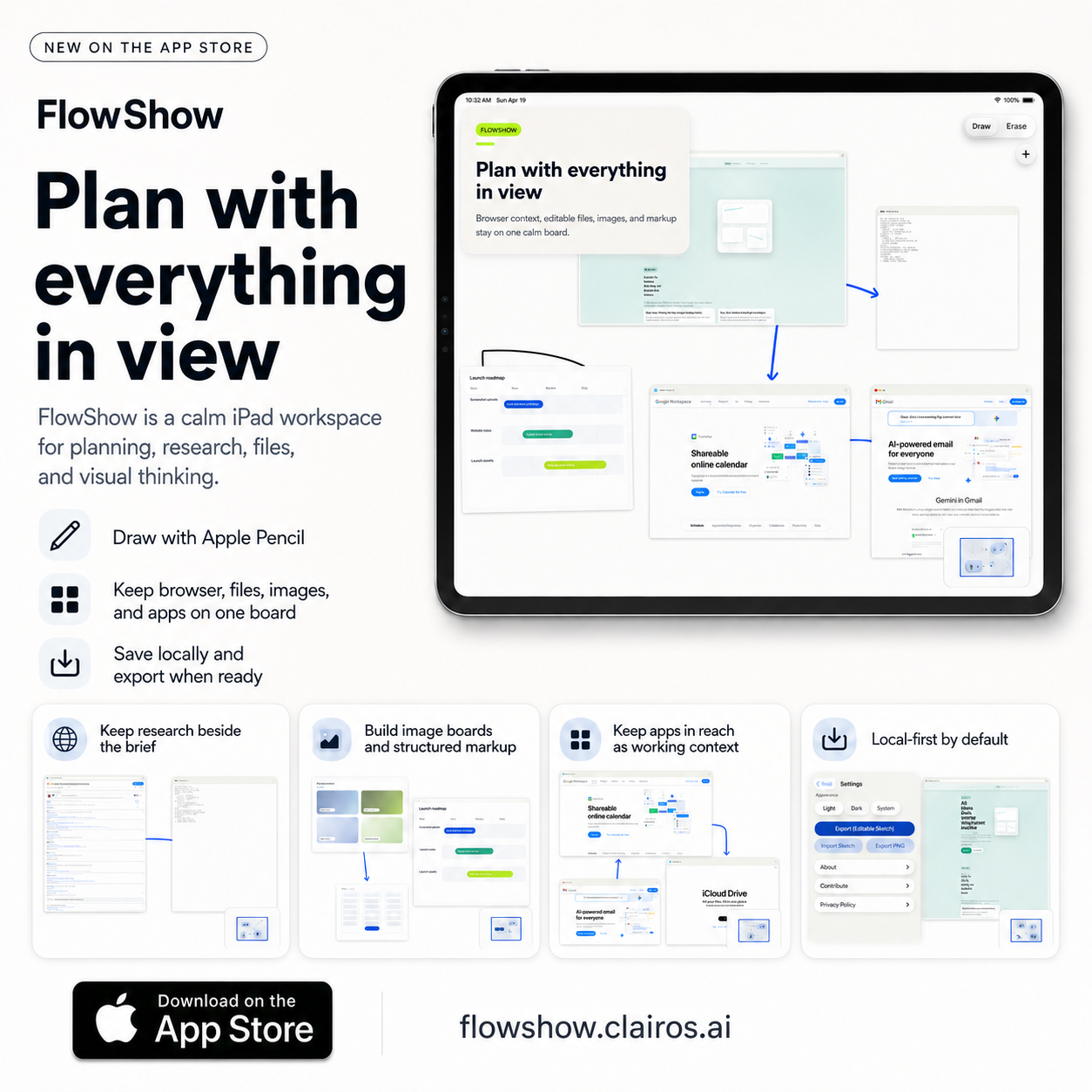
Bring the web and your filesystem onto the board. Live browser panes and editable .py, .rs, and .md files mean your references are exactly where your notes are.
Your thinking is your own. Everything stays local on your device. Export a polished PNG or an editable package only when you're ready to share.
Zero Friction Research
Keep the source beside the synthesis.
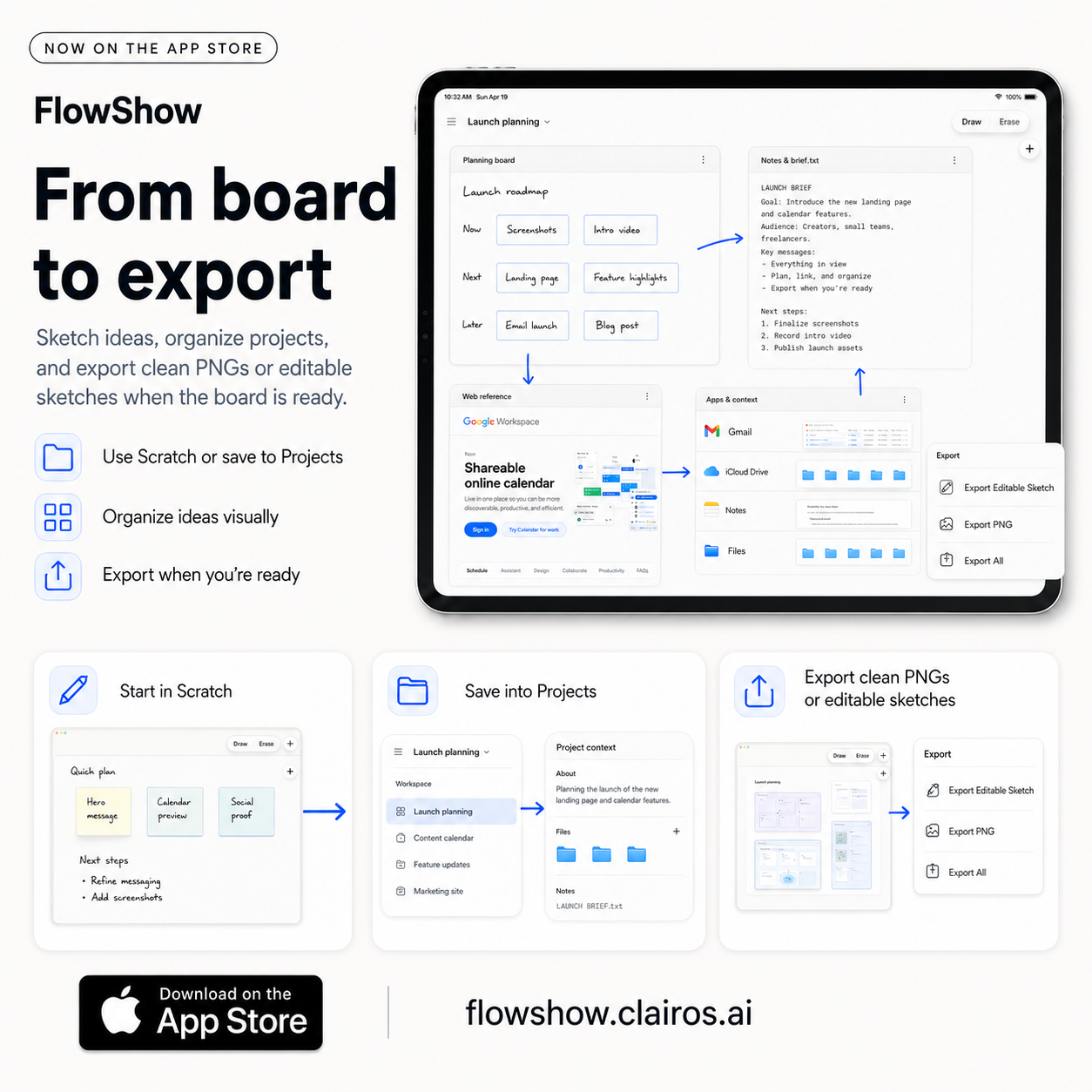
Why switch tabs when you can just move the window? Place live web panes directly next to your sketches. Read the documentation, highlight the key points, and map the logic—all on one surface.
- Live browser panes for instant reference
- Edit supporting files without leaving the canvas
- Map connections between disparate sources
- A continuous surface for continuous thought
The research stays live. The thinking stays visual.
High-Bandwidth Development
Map the system while you build it.
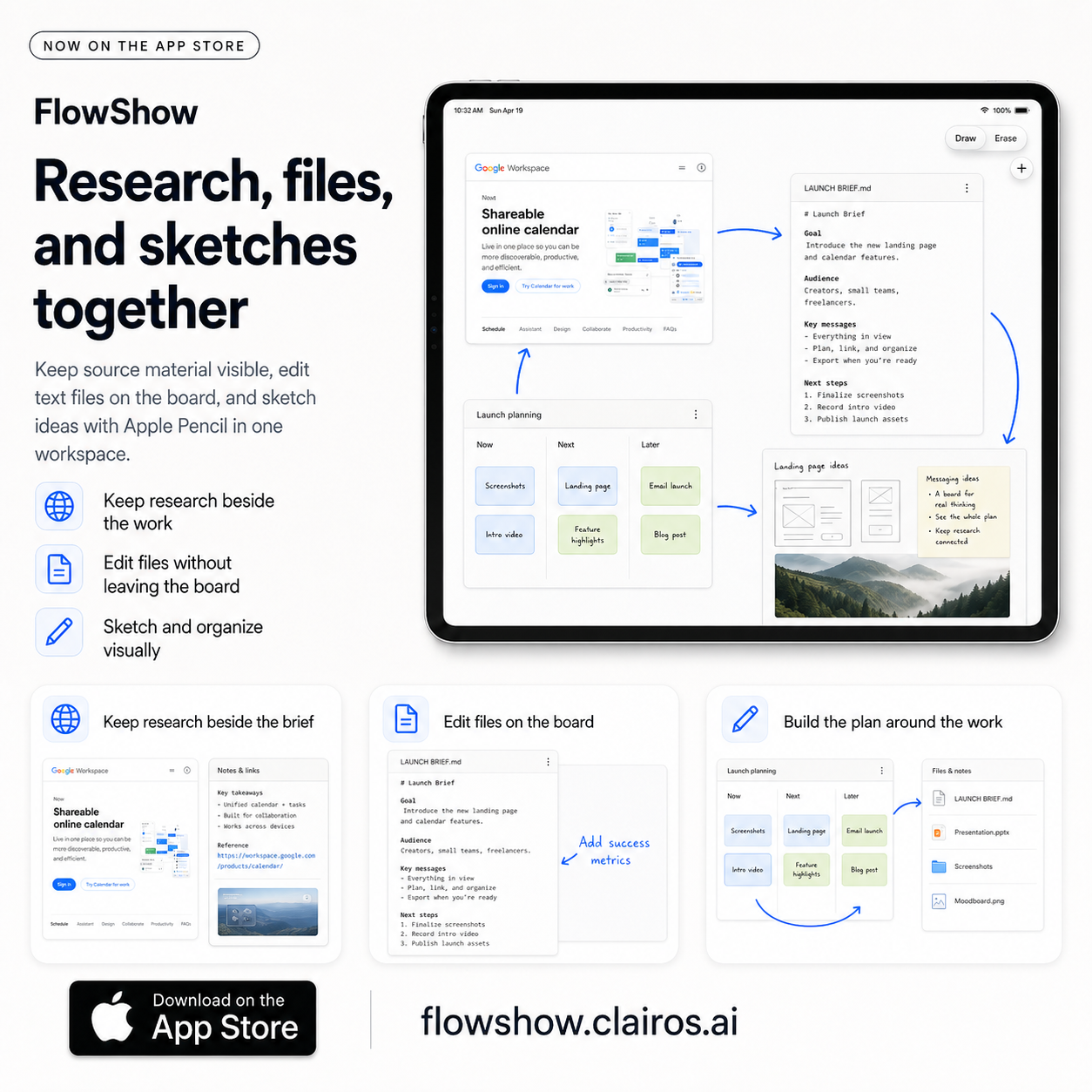
FlowShow transforms the iPad into a spatial cockpit. Open multiple code files, a browser for API docs, and a sketch pad for logic flows. See the relationship between your files and your ideas in real-time.
- Editable .py, .rs, .js, .ts, and .md files
- Visual tracking of complex system dependencies
- Spatial organization of project assets
- Low-friction "Scratch" boards for rapid prototyping
Code is linear. Thinking is spatial. Now they match.

Pure Expression
Structure the chaos.
Use the Apple Pencil to draw the connective tissue. Shapes, arrows, and freehand ink allow you to organize complex data without forcing it into a rigid template.
- Tactile, satisfying ink for Apple Pencil
- Dynamic shapes and connectors for system mapping
- Readable overlays on top of live materials
- An open environment that evolves with your project
Open enough to imagine. Clear enough to execute.
The FlowShow Ritual.
Start with a blank board and a loose sketch. Let the first pass be messy.
Drop in the browser panes, the code files, and the images that define the problem.
Use the Pencil to draw the relationships. Zoom out to see the big picture; zoom in to refine the detail.
Keep the board alive as long as you need. Export a PNG or a project package when the thinking is done.
Download FlowShow
Start planning with everything in view.
Download FlowShow free on the App Store and build your first board with sketches, references, files, browser panes, calendar context, and practical tools in one calm workspace.
Optional support
Help keep focused software independent.
If FlowShow is useful to you, you can make an optional one-time contribution through Clairos. Contributions are processed by Stripe and do not unlock FlowShow features, change the free download, or create a paywall.
Completely optional. The app remains the app either way.
Recommended iPad setup
A simple setup for Apple Pencil planning.
FlowShow works best when the iPad, Pencil, screen surface, and case all make writing feel low-friction. These are optional gear links for people who want a clean planning setup.
Affiliate disclosure: some Amazon links may earn Clairos a small commission at no extra cost to you.
Apple Pencil
The core input for sketching, marking up, and writing quickly on the board.
View on Amazon iPad 11-inchA portable size for whiteboarding, planning, and keeping context nearby.
View on Amazon iPad Pro 11-inchA higher-end 11-inch option for a fast, compact FlowShow workspace.
View on Amazon Paper-feel screen protectorAdds a little writing texture for people who prefer a less glassy Pencil feel.
View on Amazon Antbox iPad Pro 11-inch caseA vegan-leather case option with Pencil support and a built-in holder.
View on Amazon
FAQ
Questions, kept clear.
Short answers to the practical things people usually want to know first.
FlowShow is designed for iPad and Apple Pencil. Check the App Store listing for the current compatibility details before downloading.
Yes. FlowShow is free on the App Store.
No. FlowShow does not use a FlowShow sign-in system.
No. Current public FlowShow materials are focused on local-first boards, browser and file context, and export. They do not describe cloud sync or team collaboration features.
Sketches, images, files, editable text cards, browser panes, calculator panes, and calendar views can all stay on the board together.
It starts as a whiteboard, but it is built to carry working context so planning, notes, references, and action can stay connected.
Yes. FlowShow supports polished PNG export and editable sketch export and import.
The gear section is optional. Some Amazon links are affiliate links, which means Clairos may earn a small commission at no extra cost to you.
A sanctuary for your focus.
FlowShow removes the walls between your tools. One massive, calm surface for your most complex ideas.