
Keep live web context beside notes and synthesis.
Spatial workspace for iPad
Keep the whole project visible without turning it into a dashboard.
FlowShow uses one large canvas for references, working files, sketches, notes, and project structure, helping complex work stay visible while you move between details.
It is useful for research, architecture, planning, creative direction, and any session where the relationships between materials matter as much as the materials themselves.
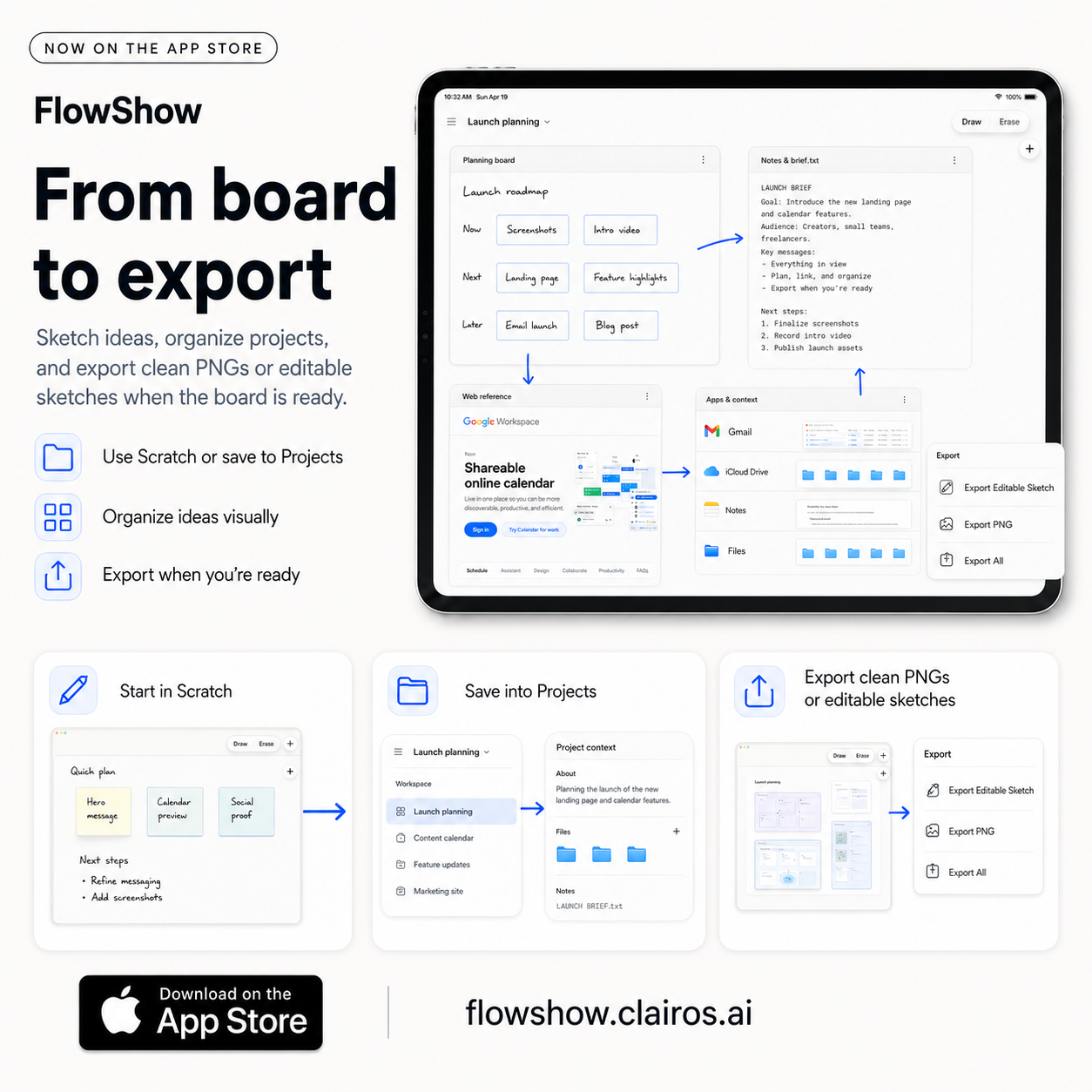
Build a working environment around the question.
Bring the references and files you need onto the same plane, then arrange them around the part of the problem they support.
Arrange supported files, documentation, and system sketches together.
See goals, dependencies, references, and next steps without hiding them in tabs.
Zoom between system and detail.
The canvas supports a broad overview and close inspection without splitting the work into disconnected documents.
Leave with a reusable artifact.
Export a PNG for a polished view or an editable package when the receiving workflow needs more than a static image.
Related Callie Pro topics
Keep exploring the math.
Explore Callie Pro in depth.
The user guide covers graphing, Temporal Mode, Complex 3D, CAS, Python, Matrix, Stats, Table, Trace, constants, and export workflows.