 FlowShow
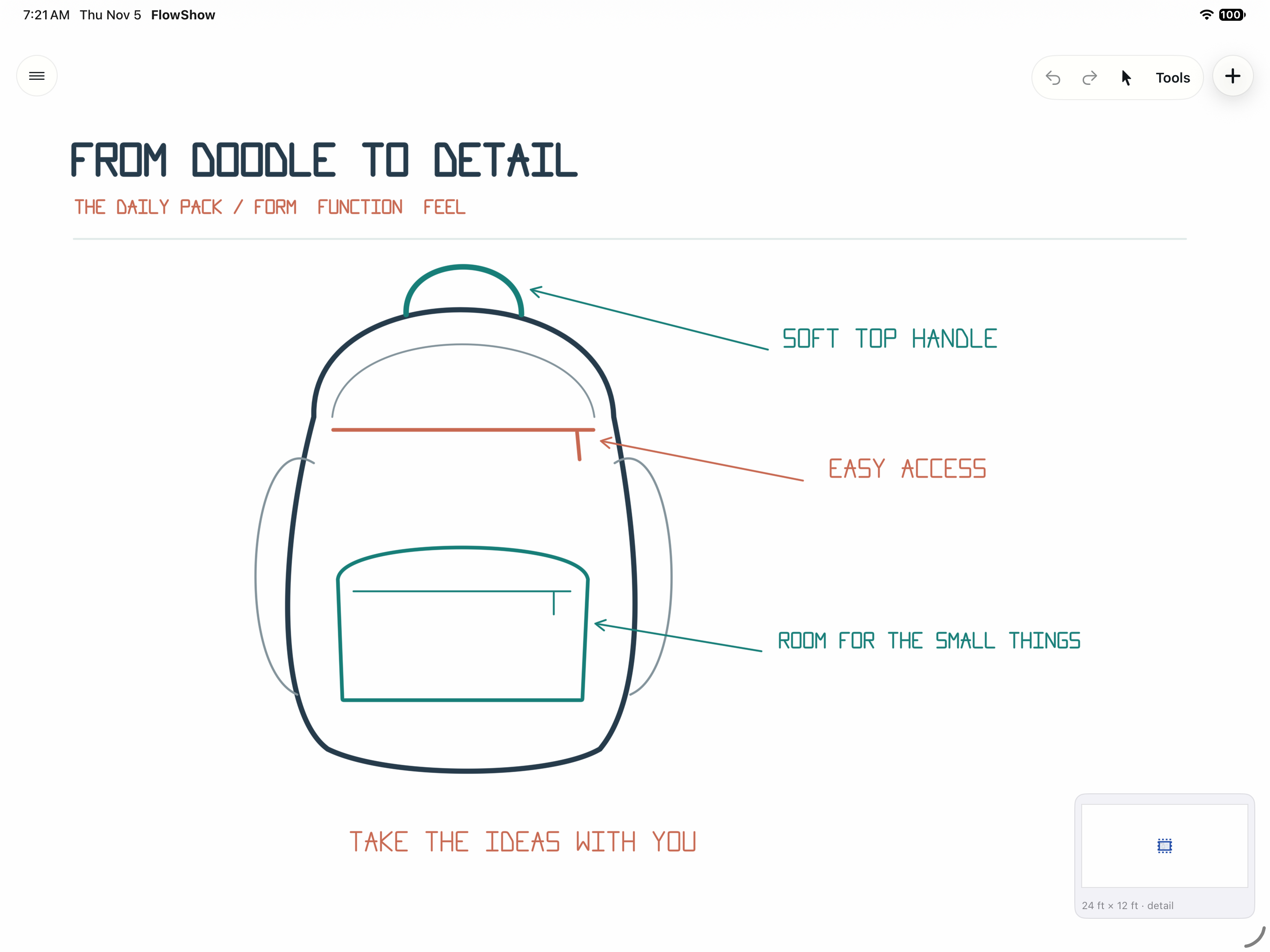
The backpack example starts with an outline and three useful callouts: a soft top handle, easy access and room for small items. The notes make the sketch discussable without pretending that it is already a manufacturing drawing.
Begin with the form
Draw the main silhouette with Apple Pencil. Keep the first version simple enough to revise. Add the major parts, such as the handle, opening and front pocket, only when they help communicate how the object might be used.
Use a small palette to distinguish structure from emphasis. In the example, the colored lines and callouts guide attention to a few parts rather than decorating every seam.
Turn a callout into a useful question
A note such as “easy access” is a starting point. Ask what it means: access while the bag is on a table, while it is being carried, or while one hand is occupied? Write the unresolved question beside the feature.
The board is a place to develop those questions, not a claim that the drawing has passed a physical usability test. Keep estimates and confirmed requirements distinguishable in the notes.
Add measured geometry where it helps
Insert editable lines, circles or polygons when a proportion needs a numerical dimension. Set calibrated units and display measurements for supported objects. A freehand contour remains ink; adding a dimensioned object beside it does not automatically turn the whole sketch into CAD geometry.
Use the geometry tools for the specific relationship you need. If the question is still exploratory, an approximate Pencil line may be the more honest representation.
Keep the brief and the reference nearby
Import an image to study a detail, or place a supported DOCX brief beside the sketch. A plain paragraph can hold the requirement that a callout responds to. Editing that paragraph changes the DOCX; annotating the drawing changes the board.
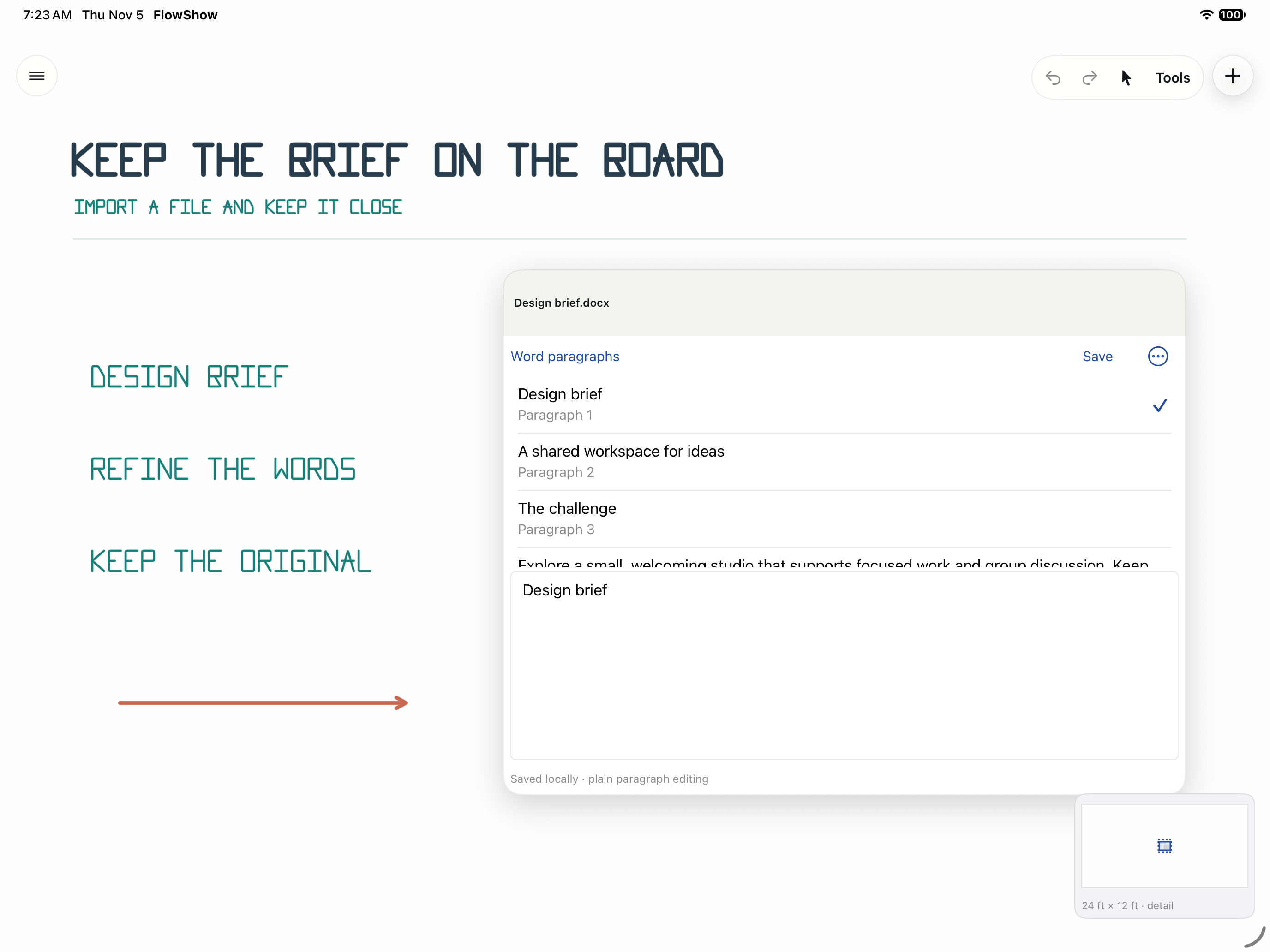
Pin a document card's frame after arranging it, and complete its Save action before sharing the latest edited copy. The DOCX workflow explains the plain-paragraph editing boundary and original-file preservation.
Compare alternatives without hiding the decision
Use another region for an alternative handle or pocket. Keep its note close enough to explain why you are considering it. At overview scale, the reader should be able to tell which version is current and which is exploratory.
Editable objects can be grouped and arranged. Native ink remains separate from object layers, so inspect your composition carefully when moving structural elements around a hand-drawn sketch.
Make the handoff match the stage
For a concept review, share a PNG or SVG that shows the form, important callouts and unresolved questions. For continued FlowShow work, export editable JSON. Share the saved DOCX separately when the recipient needs to revise the written brief.
This remains a visual concept workflow. Materials, construction, tolerances and physical validation belong in the appropriate next stage; FlowShow's sketch does not establish them by itself.