 FlowShow
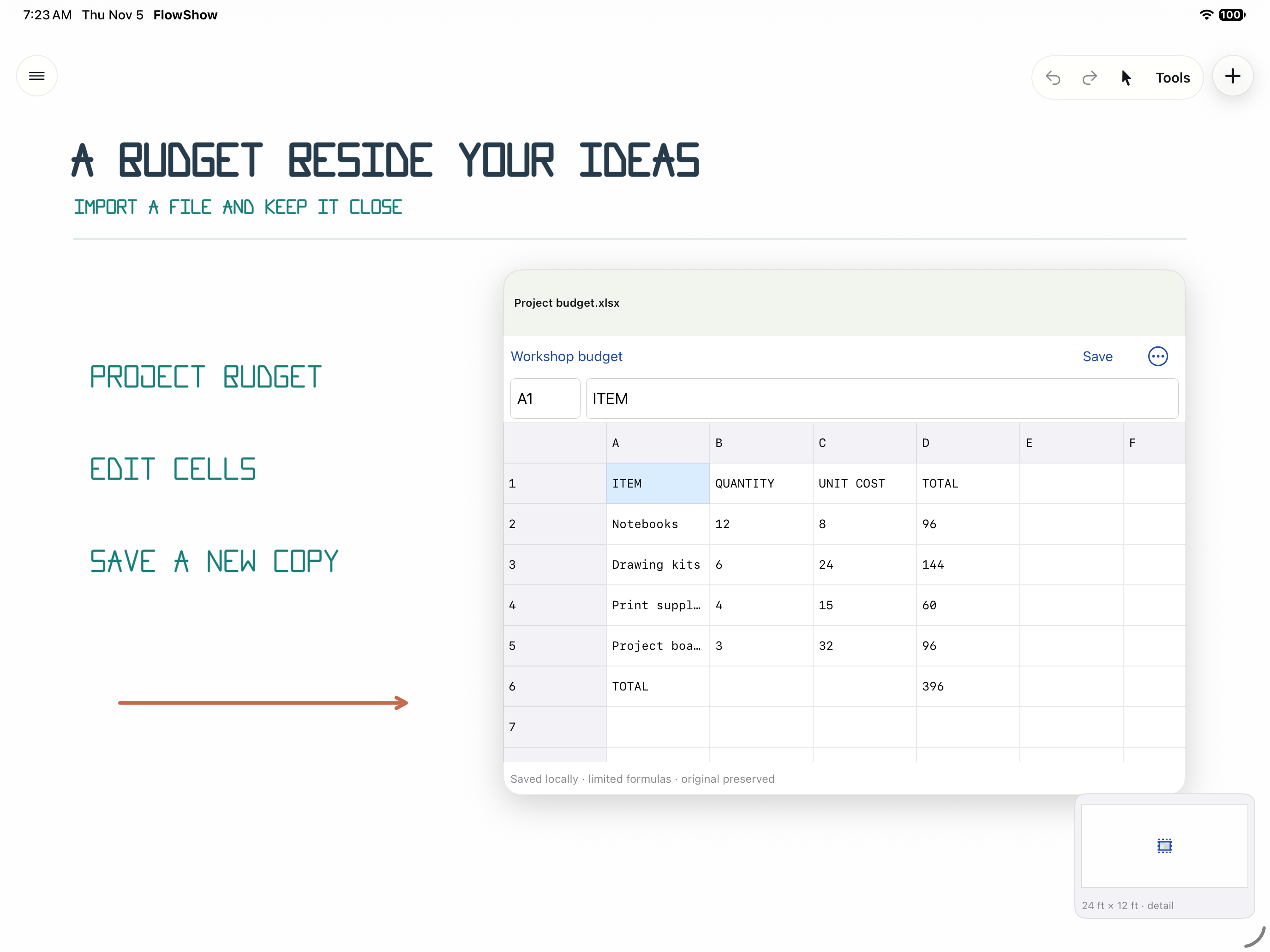
FlowShow can edit supported XLSX workbooks directly on an iPad board, offline. Open the worksheet beside a project sketch or meeting plan, change a cell or a supported formula, and save an edited copy without losing the original import.
This is most useful when the spreadsheet is part of a larger piece of work. A budget can stay beside the design it pays for. Quantities can stay beside the diagram they describe. Your notes do not have to fit inside a worksheet cell.
Import, position and edit
Import an XLSX file onto the board, open its file card and select the worksheet. Use the cell address and formula controls to navigate and edit. The native grid is virtualized, and the card accepts finger and Pencil input.
Pin the frame when it is in the right place. Pinning its position is separate from editing supported cell contents, so you can work in the sheet without dragging the whole reference around. Keep Pencil annotations outside the file pane when you want to distinguish the worksheet's data from your interpretation.
A small budget you can check
Put 120, 80, 50 and 25 in B2 through B5 of a simple editable workbook. Enter =SUM(B2:B5) in B6. The expected total is 275. Change B3 from 80 to 95 and the total becomes 290.
That is enough to check cell entry, same-sheet references and recalculation without bringing an elaborate workbook into the first test. Keep the purpose of the change on the board: for example, which design decision raised the cost. The project-budget walkthrough takes this exercise through Save and sharing. Its practice values are separate from the photographed sample workbook.
Supported formulas
| Formula family | Supported scope |
|---|---|
| Arithmetic | Basic numerical expressions and same-sheet cell references |
| Ranges | Same-sheet ranges such as B2:B5 |
| SUM and AVERAGE | Total and arithmetic mean |
| MIN and MAX | Smallest and largest values |
| COUNT | Numeric-value count |
| ABS and ROUND | Absolute values and numerical rounding |
The native board table is a different tool. It supports its own formula subset, including AVG; the XLSX editor uses AVERAGE. Neither is a reason to assume that every Excel function is available. The formula reference explains the distinction.
When a workbook needs Excel
Unsupported formulas are preserved and display Needs Excel rather than an invented calculated answer. Their cached results are invalidated for recalculation in Office. Cross-sheet and external-workbook dependencies are outside the documented same-sheet calculation scope.
Merged, protected, shared and array-formula sheets remain read-only. Legacy XLS files are preview-only. Use a compatible spreadsheet application for unsupported operations and review recalculated results there before relying on them.
This boundary makes a simple project budget a better fit than an elaborate workbook whose result depends on unsupported formulas. Importing a file does not establish that every part is editable.
Save the worksheet, then share the right version
Use the document card's Save action. FlowShow creates an immutable edited asset and commits the board's reference before reporting a successful save. If saving fails, the editing buffer is retained. Board autosave is not a substitute for completing a document save.
The original import and latest saved edit remain distinct sharing choices. Reopen the card to inspect your saved change, then share the intended workbook. A PNG of the board is only a picture of the worksheet; an editable JSON board carries its relevant original and current asset references.
For handoff to another spreadsheet application, open the exported workbook there and inspect the values and formatting that matter to your project. Keep the original until that check is complete.