 FlowShow
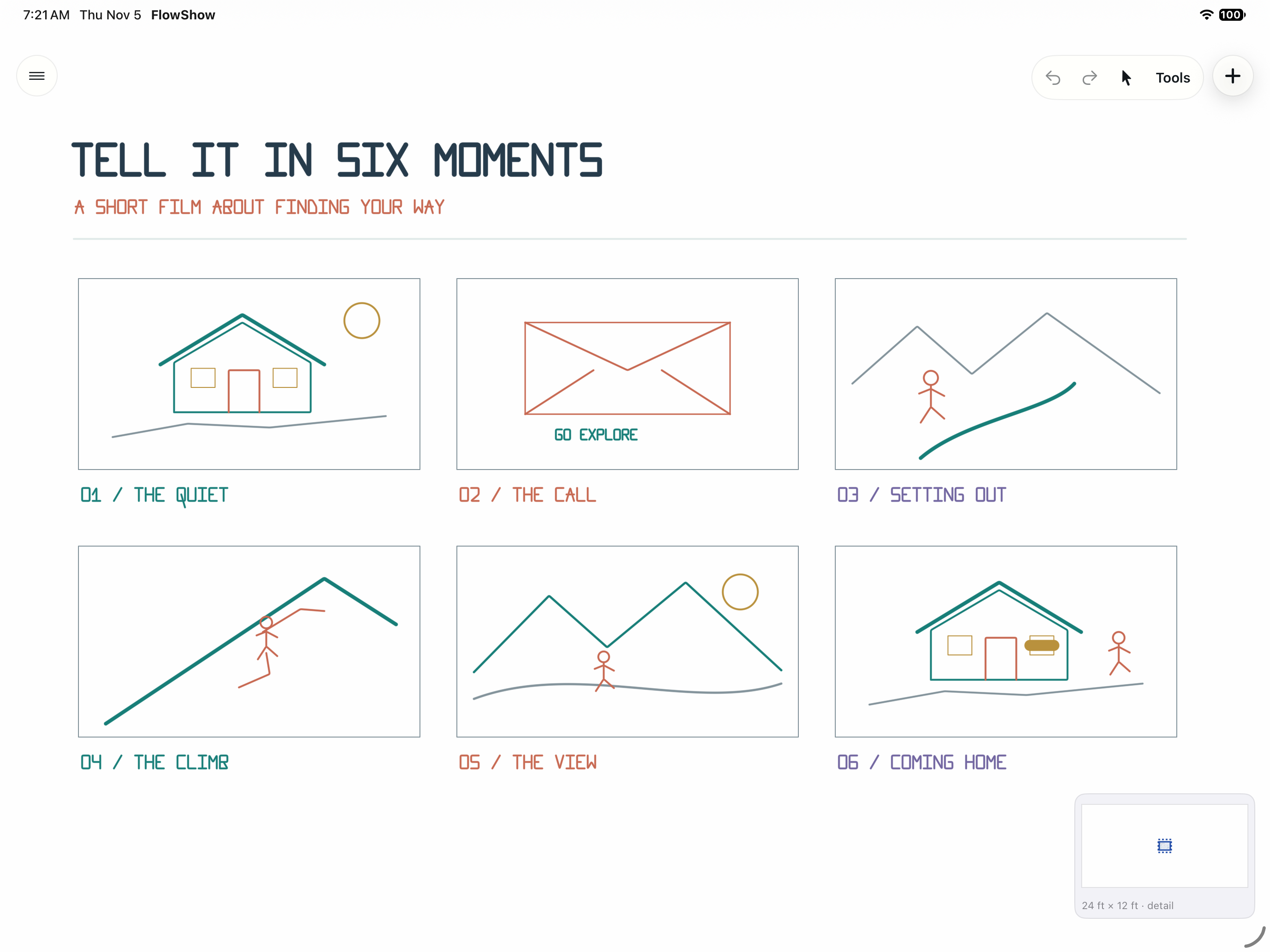
A storyboard needs enough structure to show a sequence and enough freedom to change it. FlowShow combines Apple Pencil drawing with editable frames, handwritten notes and image references on one large iPad whiteboard. Keep several scenes visible while working on the detail of one.
Start with the beats of the sequence
Write the beginning, the change and the outcome before polishing a drawing. In the six-frame example, a short journey moves from a quiet home through a call to explore, setting out, a climb, a view and coming home.
Each frame has a distinct job. A rough figure or object is enough when it communicates the shot. Use the notes beneath a frame for what the drawing cannot show clearly: an action, a transition or the point of the moment.
Build the six-frame storyboard for a practical sequence using the actual board tools.
Use editable shapes for the frame structure
Insert and duplicate rectangular objects for consistent frames. Arrange them in reading order and leave a separate band for notes. Alignment and grouping help keep related objects together while you revise the layout.
Native PencilKit ink sits above object layers. Grouping board objects is not a promise that freehand strokes are members of an illustration layer or that they will move with a grouped frame. Decide on the broad layout before adding detailed ink, and inspect the result when rearranging a drawn scene.
Draw with a deliberately small palette
Choose a drawing medium and width that make the scene readable at overview scale. Pen can clarify an outline; Pencil can keep an exploratory quality; Marker, Crayon, Paint and Highlighter offer other treatments.
A sequence does not need a different style in every frame. Reuse a few marks so the viewer can follow the subject. Zoom in for details and use the artwork minimap to find your place again. The Pencil guide covers the drawing controls.
Keep references beside the frames
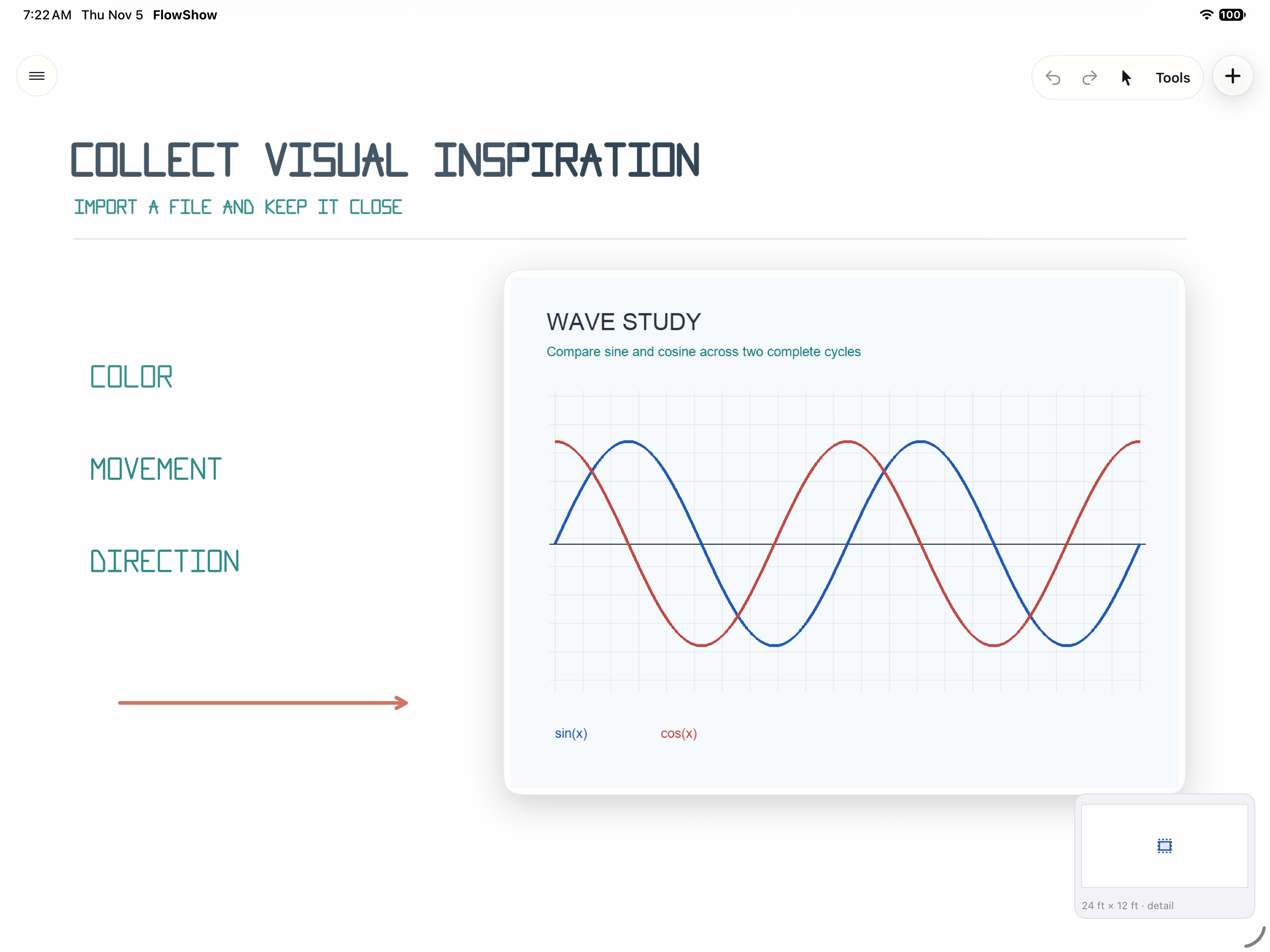
Import a photo or image from Photos, Files, the clipboard or drag and drop. Crop it non-destructively, adjust its opacity or flip it when that helps your study. Original imported bytes remain preserved with the board assets.
A reference can explain a pose, object, color or setting without being part of the final scene. Keep it visually separate from the frames so the storyboard's reading order stays clear. A supported DOCX brief can sit nearby when the sequence responds to written requirements.
Review the sequence at two scales
At overview scale, check that the order and major changes are understandable. At detail scale, check expressions, notes and relationships within each frame. A missing action is easier to fix before the drawings become elaborate.
FlowShow is a visual planning surface, not a video editor. The board does not play frames as an animation, add a soundtrack or create a timed video export. Write timing notes on the board when you need them for the next production stage.
Hand off the right artifact
Export PNG or SVG for a visual review and inspect the output for legibility. Use editable JSON to keep the board available for further FlowShow work. Keep the original project while making revisions for a reviewer.
For design work that is less sequential, the product-sketch example uses the same drawing and reference tools to compare parts of one object rather than successive scenes.