 FlowShow
A FlowShow project keeps a board and its working material together. Scratch is useful for temporary exploration. Both use the same drawing and object tools, but a deliberate project makes a better home for work you expect to revisit.
What the board size means
New FlowShow 7 boards are 24 feet wide by 12 feet high in the document's physical coordinate system. This is a finite board. Zooming out fits the complete surface; panning stops at its edges. Zooming in changes your view, not the stored size of a shape or the amount of board available.
At maximum detail, the visible area is approximately the area of a US Letter sheet while retaining the iPad viewport's proportions. It does not turn the board into a stack of Letter pages. The full board and its physical measurements still exist underneath the current view.
Use the scale for sketches, diagrams and planning. It is not a claim that the app is a certified CAD system or that every large document has the same performance on every iPad.
Organize by the work
A single board can hold several regions: an overview, references, a draft and a more finished version. For a project roadmap, place milestones across the board, keep notes below their stage and leave room for revisions. The minimap makes this arrangement navigable.
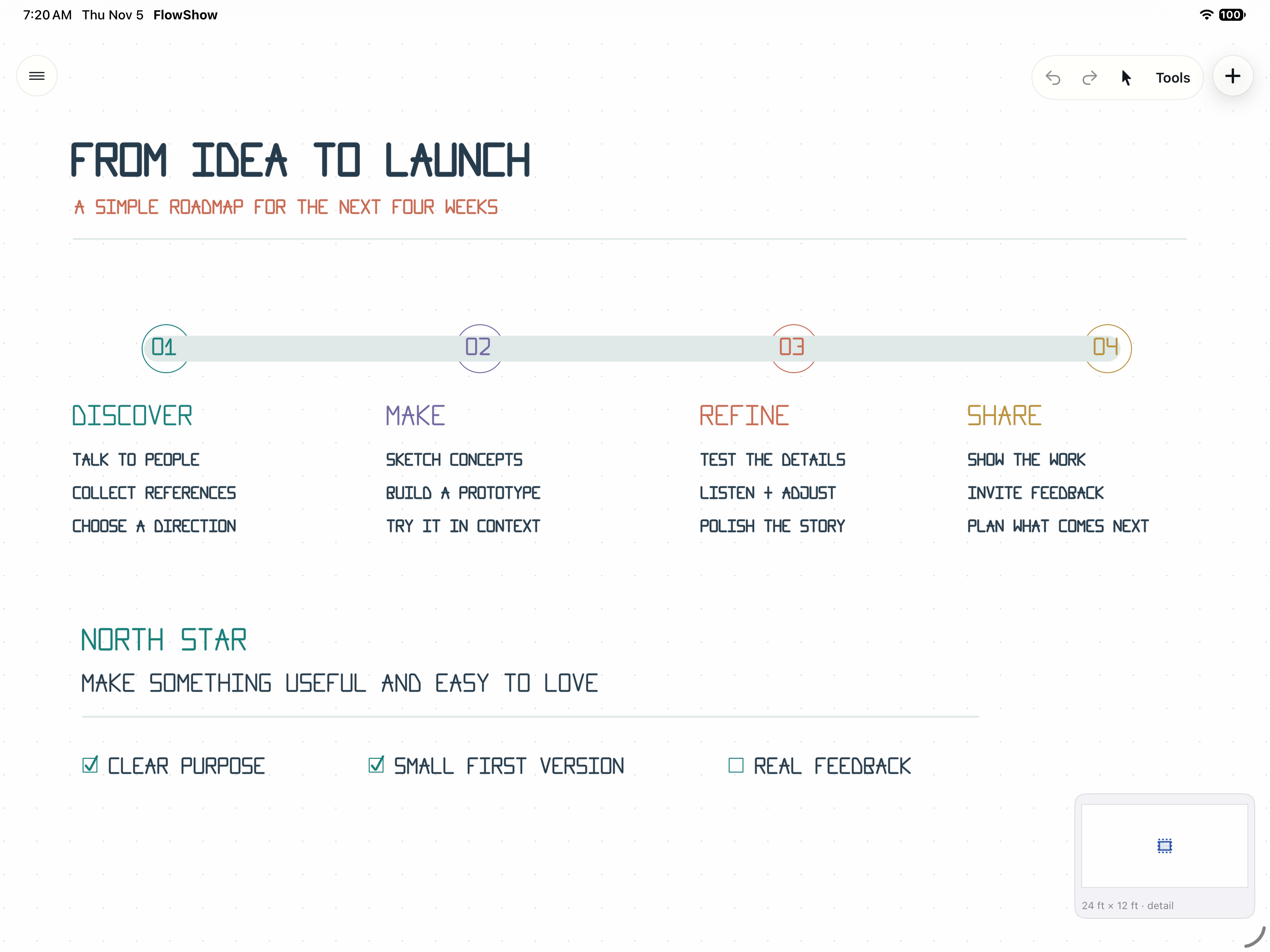
The roadmap is arranged by hand. FlowShow does not infer deadlines, schedule tasks or maintain a project-management database from the boxes you draw. Dates and responsibilities on a visual plan mean what you write into them.
Scratch versus a project
Use Scratch when you are trying a tool, working through a quick calculation or exploring a layout you may discard. Use a project for an ongoing piece of work with imported documents, images and a calculator workbook. Give it a meaningful name so it remains recognizable later.
Before clearing, replacing or experimenting with valuable work, make an editable export. Do not rely on the name Scratch to tell you whether the contents matter. The same original documents and notes may be present on either kind of board.
What stays with a project
The board holds ink and object records. Imported files and images are copied into owned board assets. The calculator has a per-board workbook, including its own functions, variables, graph settings and other working data. An exported graph on the board is a snapshot; its editable function belongs to the calculator workbook.
Browser and Calendar panes have different boundaries. A browser is a view of a website, not an embedded offline copy of the internet. Calendar uses Apple's Calendar permission and data. Browser cookies and live sessions are not intended to travel in an editable board export.
Reopen and continue
FlowShow saves the board's world center, so reopening and changing orientation can preserve where you were working. The minimap is the quickest way to recover context if a close-up view feels unfamiliar. Zoom out before deciding that a distant object has disappeared.
Object locking can help keep a reference in place while you work nearby. Office document position pinning is separate from editing the document contents. See shapes and selection for object manipulation and Word documents for document editing.
Older boards
An older drawing may extend beyond the new standard board. FlowShow preserves the original scale and full extent on a marked legacy board instead of cropping or shrinking the original work to 24 by 12 feet. Such a board may have a different maximum detail view.
Historical globe and Precision content has a copy-recovery path. It is not evidence that the current app is an AR workspace or that a whole spherical project can be flattened without limitations. Work on a copy, keep the original, and follow backup and recovery.