 FlowShow
 gives a plan room to change. Use ink, shapes, arrows, images and files to arrange the work yourself. The example boards in this chapter were made in the app; they are not built-in templates, task automation or a hosted collaboration service.
Make a weekly plan
Divide a region into days or priorities and add only the work that matters to the current week. Keep a separate area for decisions or unfinished tasks rather than squeezing every note into a tiny box.
- Write a heading and draw the main divisions.
- Add tasks and supporting notes with Pencil or suitable text content.
- Move object-based elements as priorities change.
- Keep references or a Calendar pane beside the plan when dates matter.
- Export a visual copy when you want to communicate the current arrangement.
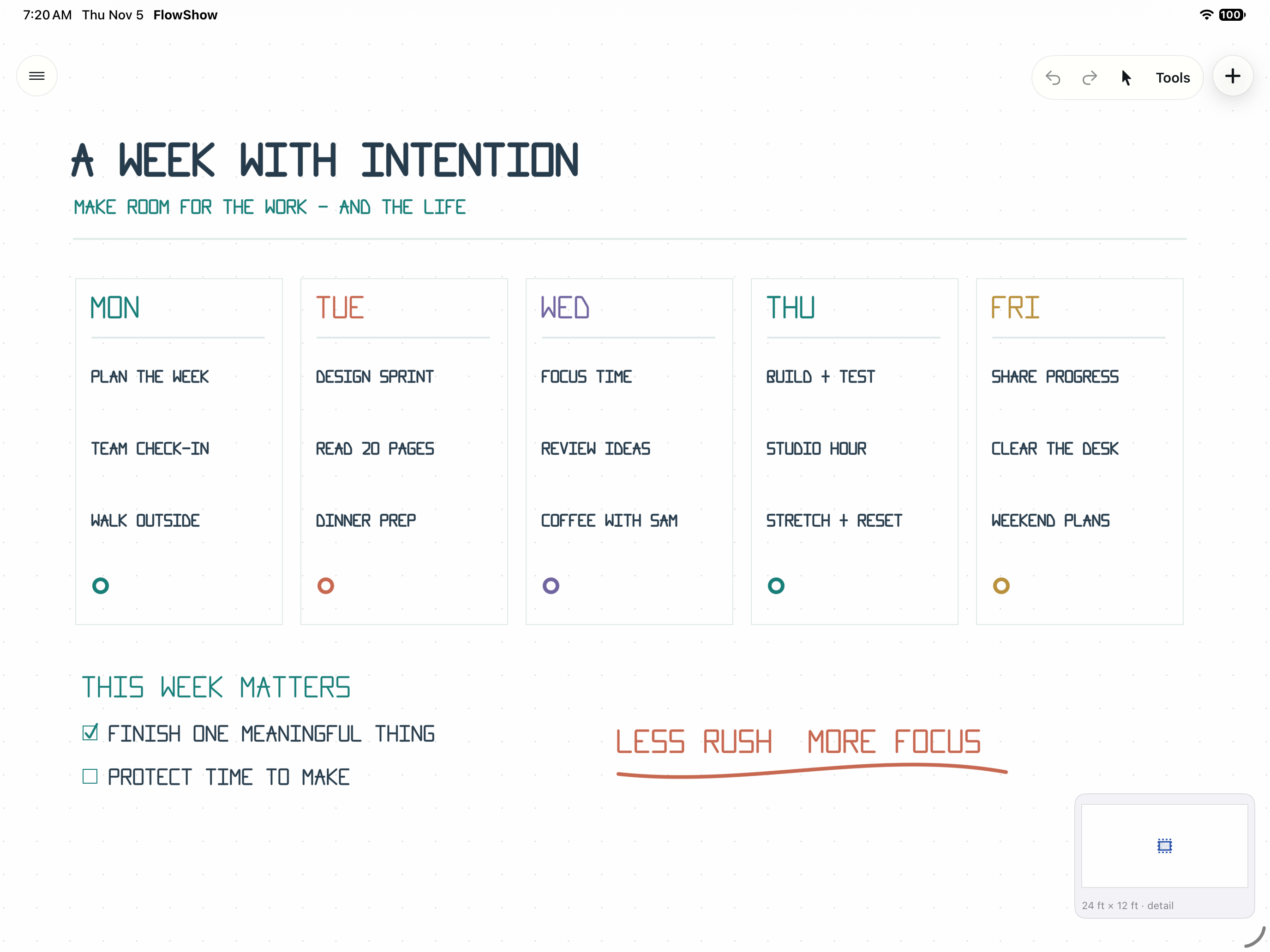
Writing a date does not create a Calendar event. Drawing a checkbox does not add a synchronized task. The board is a visual plan whose meaning comes from the content you arrange.
Lay out a roadmap
Place stages across the board and use space to show sequence. Keep the next decision under its stage. A roadmap can remain useful without becoming a dense dashboard of status labels.
For a project with a brief or budget, import the relevant DOCX or XLSX file next to the stage it informs. Edit supported content there, save it and keep the original. The visual plan and the file still have their own content and export workflows.
Arrange a Kanban-style board
Use columns such as Next, In progress and Done, then place object-based notes or groups in the appropriate area. Move them manually when the status changes. This is a layout you create, not an automatic task-management feature.
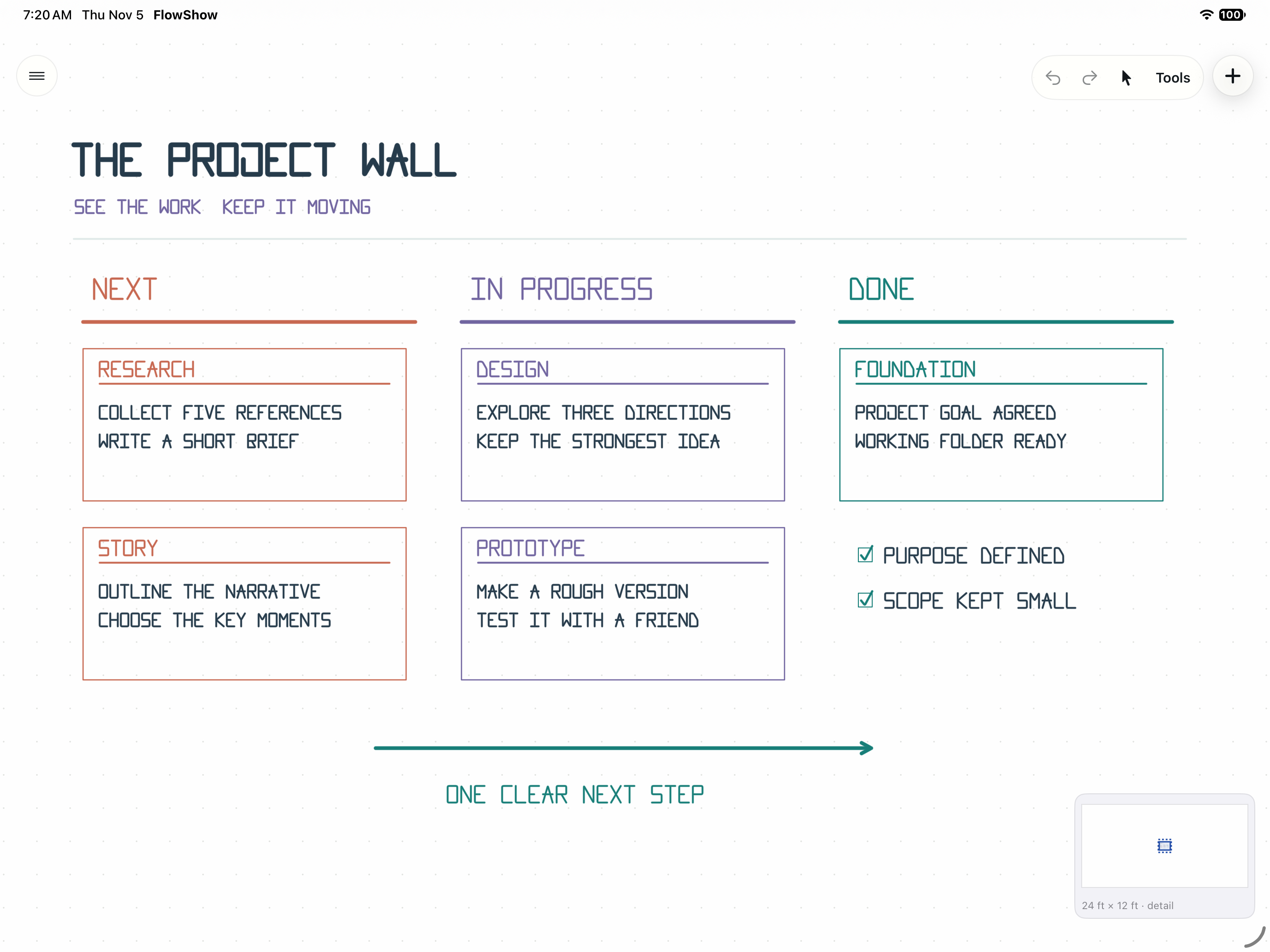
Keep each item's label short enough to recognize in an overview. If a task needs a long explanation, put supporting text nearby instead of making every card large enough to hold a document.
Build a mind map
Start with the central question, then draw branches for related ideas. Use color or spacing where it adds meaning. A branch should help you find a relationship, not merely decorate the board.
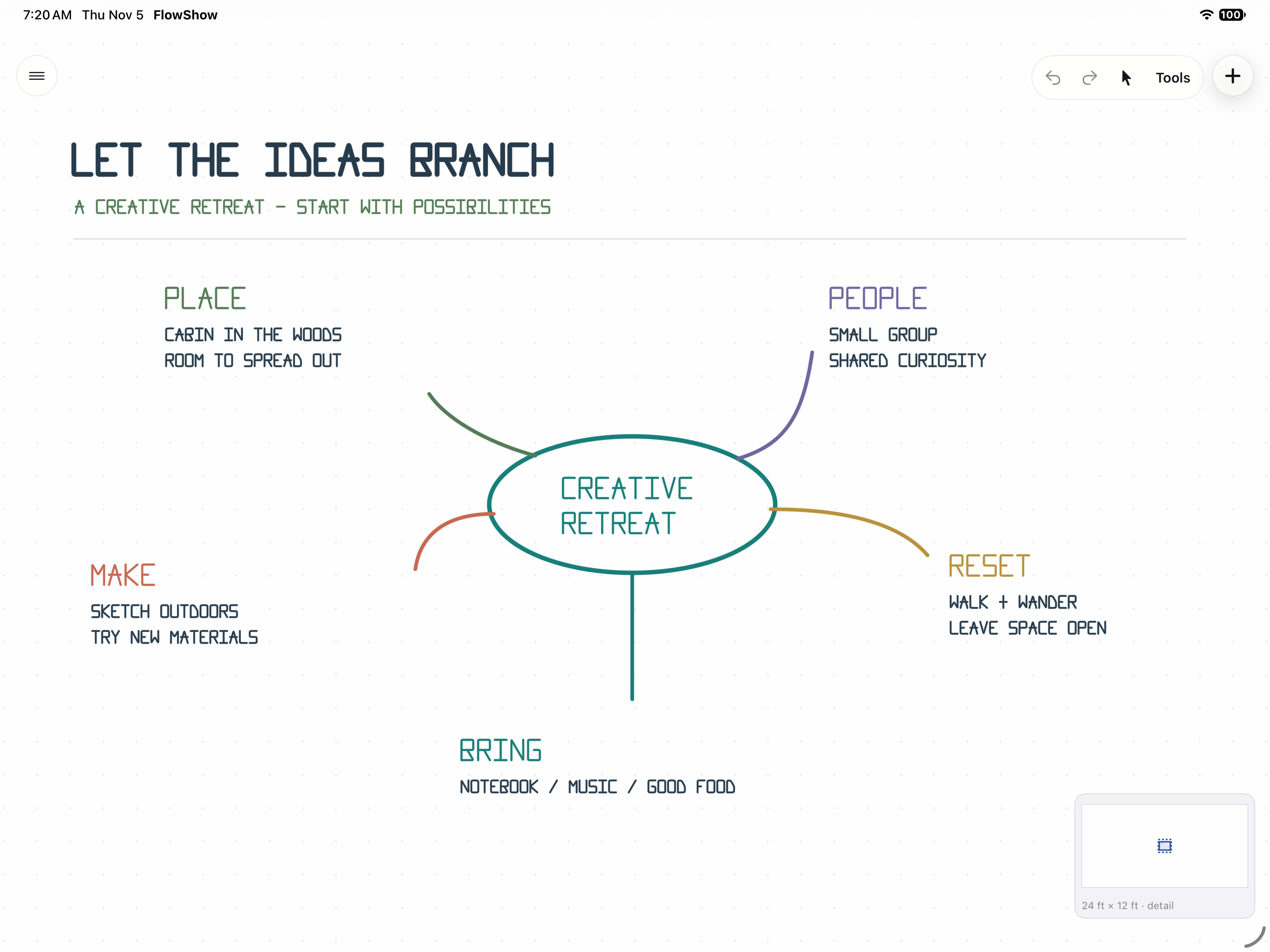
The map is manually created. FlowShow does not turn a sentence into an AI-generated mind map or infer all the relationships for you. Use editable shapes and lines for parts you expect to rearrange and Pencil ink for looser exploration.
Meeting notes with decisions in view
Keep the question, decisions and next actions in separate regions. Place a PDF reference or text brief nearby when the discussion depends on it. The point is to keep the decision connected to the source, not to transcribe every word.
After the meeting, review the board before exporting it. Check whether it contains private calendar information, document content or images that should not be shared. A visual export shows whatever you chose to include in the composition.
Plan a space
For a studio or event layout, use shapes, numerical dimensions and measurements where useful. The board can help communicate an arrangement, but a conceptual plan is not a certified construction or safety drawing. Verify critical real-world dimensions separately.
Use the protractor and coordinate plane for geometric explanation and precision tools for supported relationships.
Keep the plan navigable
Use recognizable regions and leave enough separation for the minimap to be useful. A 24 × 12-foot board has room for several connected areas, but it still has edges. Start a new project when unrelated work makes the current one difficult to follow.
Save an editable JSON copy for ongoing work. A PNG is useful for a review or message, but it does not preserve editable tasks, objects or a calculator workbook.
Follow a project instead of a tool list
The weekly-plan example builds a five-day arrangement with a separate priorities area. The roadmap example organizes stages and their evidence. The mind-map example starts with a central question and branches before imposing a schedule. Choose the arrangement that matches the question, rather than making every board a task grid.