 FlowShow
A file card puts a document beside your drawing. FlowShow imports the original file into its owned board assets rather than treating an external filename as the whole project. The editing and preview behavior depends on the format.
Import a document
Import the file onto the board using the file-import workflow. Place the resulting card near the notes, drawing or calculations that refer to it. Resize and arrange the frame so the useful part of the document is visible without covering all your working area.
A PDF, DOCX and XLSX do not have interchangeable controls. PDF is a reference preview. Supported DOCX paragraphs and XLSX worksheet content have their own native editing workflows. Check file compatibility before deciding what to edit inside FlowShow.
PDF is a preview surface
FlowShow uses native PDF preview and supports position pinning for the file card. Read the reference while continuing to use the surrounding board.
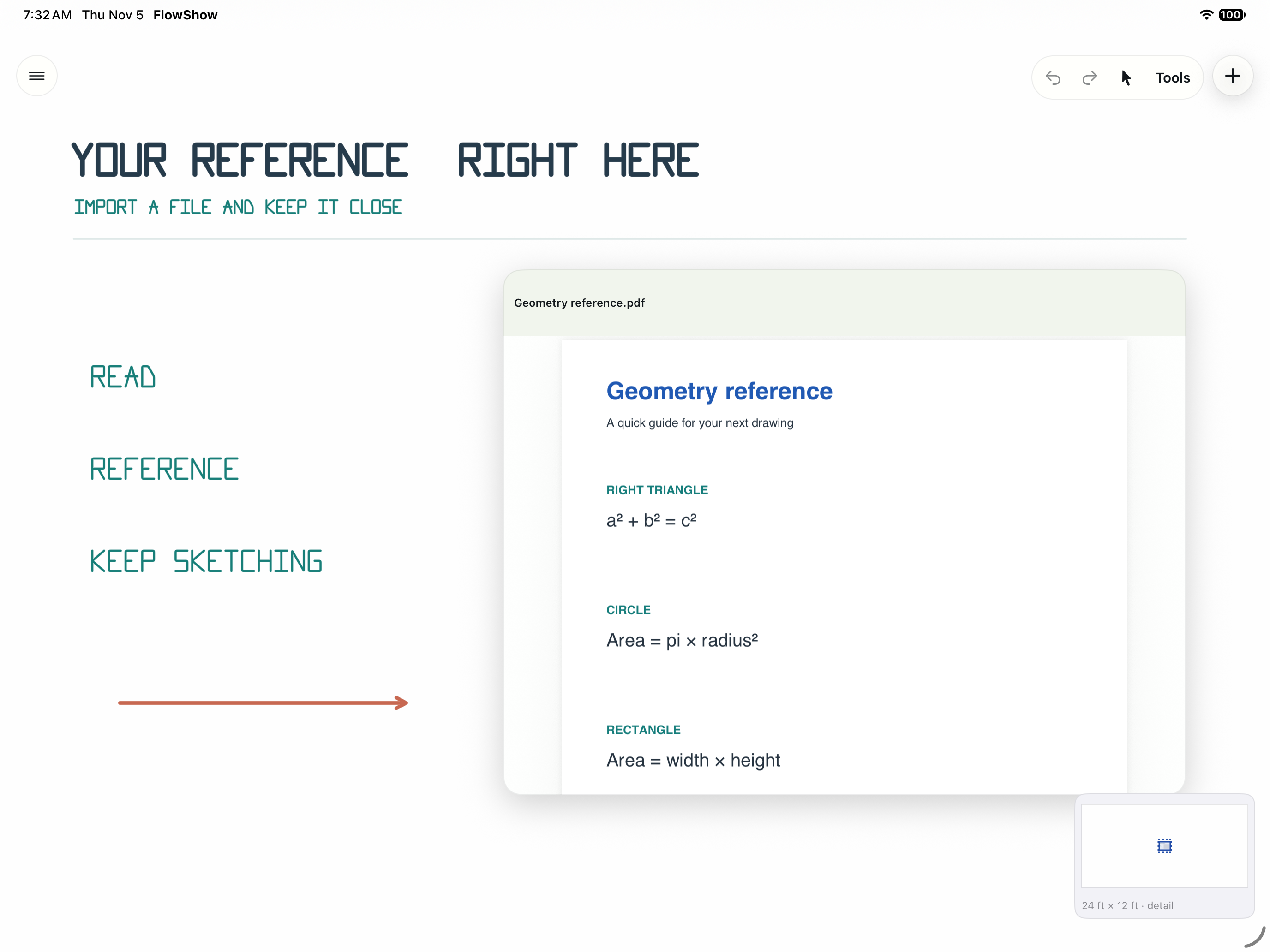
The PDF workflow does not introduce PDF text editing or a page-aware PDF annotation system. Drawing near or over a PDF card is board ink. Do not assume those strokes will be written back into the original PDF as page-linked annotations.
For a technical exercise, keep the PDF at one side, write your interpretation on the board and export the board as a visual explanation. Keep the original PDF when you need the unchanged source document.
Pin the frame, not the task
Pinning a file card's position prevents its frame from moving unintentionally while you interact with the contents. Supported content controls can remain usable. This is different from making an unsupported document editable.
If a spreadsheet or Word structure is read-only, unpinning the frame will not add compatibility. Consult the relevant spreadsheet or Word chapter.
Plain text and older Office files
Editable plain-text panes are available for text-based content. Legacy DOC and XLS files remain preview-only. Current XLSX and DOCX support is deliberately bounded, so the file extension alone is not a guarantee that every part of a document can be edited.
A file containing macros, a complex layout or unsupported formulas should not be described as fully supported simply because it can be imported. FlowShow preserves unknown or unsupported content according to the documented format rules rather than claiming to replace its original authoring application.
Original and edited copies
For supported Office documents, the imported original and current edited asset are retained separately. Saving an edit creates a new asset version and commits the board's reference before reporting success. Sharing can use the original or the latest edited copy.
Before sending a document, deliberately choose which version you intend to share. Reopen the exported file in the receiving application when formatting or formula behavior matters. This is especially important for complex Office files outside the editable subset.
What a board export means
An editable board export keeps the document records and referenced assets needed for continued work. A board PNG shows a visual composition. It is not the same deliverable as the original PDF, a saved workbook or an edited Word document.
Use the file card's sharing action for the actual document. Use board export for the surrounding explanation and arrangement. See saving and exporting for a format-by-format decision table.
When a preview is not enough
Use the original document application when the task requires full page layout, advanced spreadsheet features, PDF text changes or format-specific review. FlowShow's value is keeping useful documents beside the work, not pretending every external format is its native document model.